Qwen3.8-Flash-Next with Strata: Local Setup and Memory Planning Guide
Run Qwen3.8-Flash-Next with Strata on a desktop. Choose weights by RAM, configure a local API, and test context, tool calls and GPU offloading before switching.

Written by Fan Chuanyu
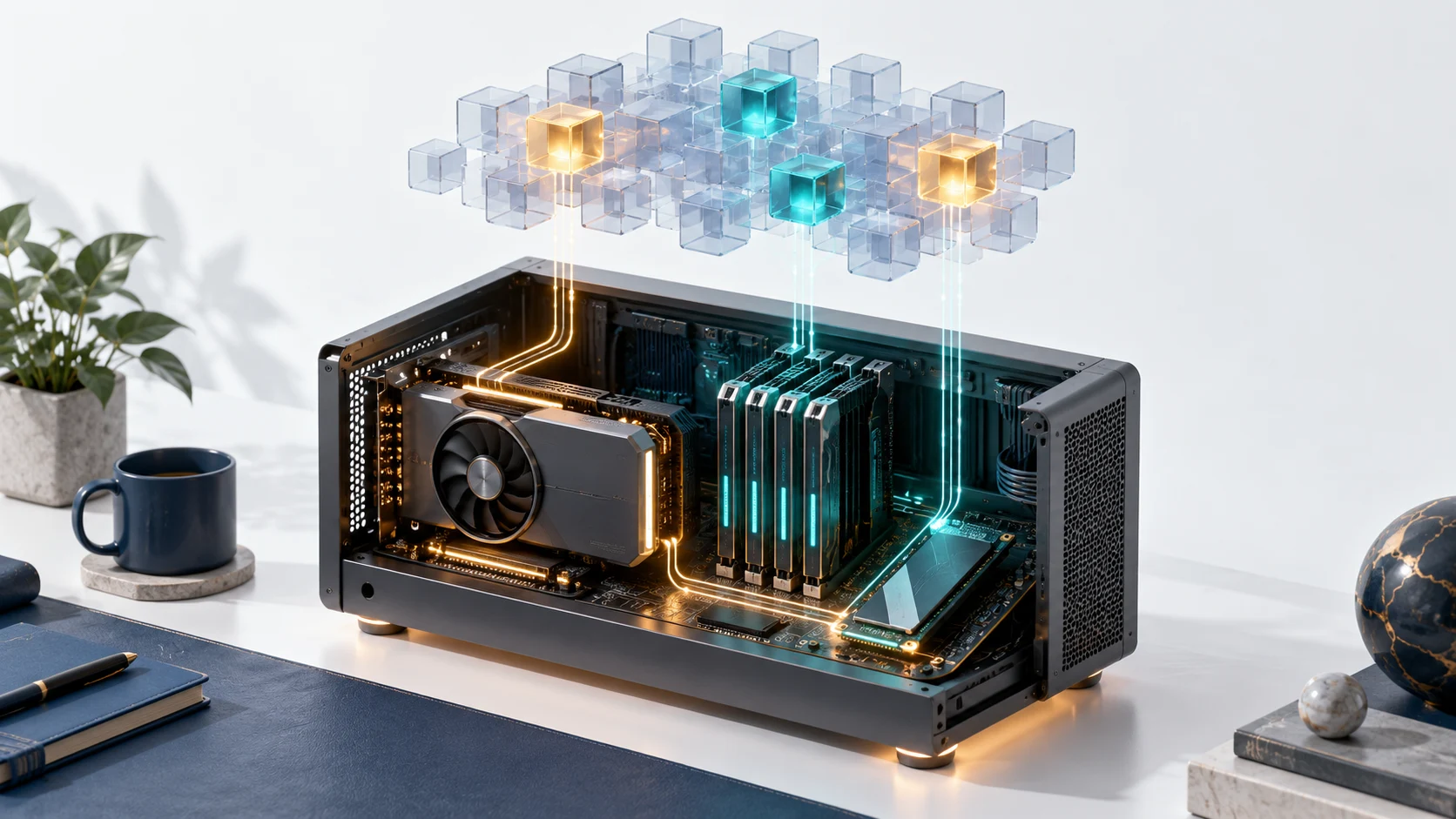
Strata offers a practical route to running Qwen3.8-Flash-Next on a desktop, but a GPU's memory label is only the beginning of the hardware decision. The runtime spreads work across the graphics card, system RAM and storage. Your choice of weights, available memory and workload determines whether that desktop becomes a useful assistant or a machine waiting for data transfers.
This guide covers the project documentation reviewed on October 4, 2026. It is a deployment plan based on published material; we have not benchmarked Strata on a physical desktop. The reviewed Strata README describes the runtime and its local server.
Start with the complete memory budget
The project recommends a supported NVIDIA or AMD GPU with at least 12GB VRAM, at least 32GB system RAM, and roughly 80GB free SSD space. Windows 10 or 11 and Linux are the documented operating systems. These are project recommendations, rather than a promise that every combination will deliver the same experience.
A large mixture-of-experts model can activate a subset of its experts for a particular token while still needing access to a much larger collection of weights. That is why the project's 125B model description and its consumer GPU recommendation can coexist. It does not mean the full weight set lives inside a 12GB card.
The model selection documentation gives these starting points:
| System RAM | Documented starting choice | What to check before downloading |
|---|---|---|
| 32GB | Coder variant | Different expert selection and task behavior |
| 48GB | IQ2_XS or Q2_0 | Space for the OS and your working applications |
| 64GB | IQ2_XS recommended; larger listed quants also fit | Headroom decreases with larger weights |
| 96GB or more | IQ3_S; experimental alternatives are listed | Confirm support for the exact weight package |
The guide also documents exceptions involving larger GPUs and lower RAM. Use the setup tool's hardware assessment for those cases. The table is a starting point for ordinary configurations, not an exhaustive compatibility matrix.
The Coder download deserves particular attention. It retains 256 of the original 512 experts per layer, selected for coding work. Choosing it changes more than storage precision. If your assistant handles Chinese documents, general questions and code, test all three before treating Coder as a substitute for the full expert set.
Install and establish a short baseline
On Linux, the documented entry point is the repository setup script:
git clone https://github.com/Niko1221/Strata.git
cd Strata
git checkout 99f3dbd0b21d1401b3769e0c0d963913607f380b
./setup.sh
On Windows, the project directs users to START-HERE.bat. Follow the setup choices for model size, context and optional image support. The checked-out revision above matches this article's review; consult newer project notes before adopting a newer build.
Open http://127.0.0.1:8080 after setup starts the server. Begin with a short text prompt and a modest context setting. Record which weight package loaded, the actual free RAM and the runtime logs. Then repeat with a longer document. A successful short response does not establish that a long coding session will stay within memory.
Keep the first run simple: one model, one client and one request. Adding a coding agent immediately can hide the source of a failure behind tool calls, conversation history and repeated requests. Establishing a baseline gives you something concrete to compare when the agent is connected.
Connect an API client to the local server
Strata documents an OpenAI-compatible base URL at http://127.0.0.1:8080/v1. Its reviewed README says local clients may use a placeholder API key and model name. In this example, strata-local is a client label, not a published provider model ID:
curl http://127.0.0.1:8080/v1/chat/completions \
  -H 'Content-Type: application/json' \
  -H 'Authorization: Bearer local-placeholder' \
  -d '{"model":"strata-local","messages":[{"role":"user","content":"Explain this function in two sentences."}]}'
The repository also documents an Anthropic-compatible messages endpoint at /v1/messages. For a client that accepts an Anthropic base URL, the documented root is http://127.0.0.1:8080; appending /v1 again can produce an incorrect route. Check the specific client configuration rather than copying settings between protocols.
Keep this initial setup on loopback. A local placeholder key is not evidence that an exposed server has authentication. If another device must connect, review the server's network and access configuration first.
Local inference also has a narrower meaning than an entirely offline assistant. Setup downloads weights and dependencies; an attached agent can still call external tools or services. Check that larger workflow separately if keeping data on the machine is your objective.
Measure the workload you actually need
The reviewed runtime processes one request at a time. A responsive personal chat therefore does not establish suitability for a shared team endpoint. Queueing matters once multiple users or agent branches submit work.
Use a small evaluation set that reflects the intended job:
- A short explanation with a verifiable answer.
- A long document containing details near both ends.
- A coding task whose tests can be run independently.
- A tool request with an exact argument schema.
- A Chinese task, if Chinese is part of normal usage.
Record time to the first answer, completion time, memory peaks and whether the result passes the task's checks. Separate a first prompt from a follow-up that can benefit from prefix caching. Otherwise, a favorable repeated prompt can disguise slow initial document processing.
Image support has additional platform conditions in the project documentation. For example, the reviewed notes describe AMD image processing through the CPU on Linux and do not offer the same Windows path. Confirm your exact GPU and operating system before planning a multimodal workflow.
If you want a simpler local coding comparison, our Qwen with Ollama guide covers a different setup. Compare the same tasks across both installations instead of choosing solely by model parameter count.
Decide after the baseline passes
Strata is worth evaluating when you have a desktop with suitable RAM and storage and want local access to a large Qwen model. Choose the weights from the complete hardware budget, verify a short request, then add context and tools gradually. The useful result is a repeatable workflow on your machine, with known memory limits and acceptable answer quality.
Strata's code uses the MIT license. Model variants and dependencies have their own terms; inspect the selected download rather than extending the runtime's license to every component.
Frequently asked questions
Does a 12GB GPU hold the entire model?
No. Strata coordinates GPU, system memory and storage. The recommendation depends on the rest of the desktop and the selected weights.
Is Coder just a smaller quantization of the same model?
No. The documented Coder variant removes half the experts per layer. Its suitability for broader tasks must be evaluated separately.
Can I replace a hosted API immediately?
First check client compatibility, long-context behavior, tool arguments and queueing. A local response confirms a working baseline, not equivalence to the hosted workflow.

 Fast Pivot — Access hundreds of AI models from a single API — competitive pricing, reliable uptime, enterprise-grade infrastructure.